
4082 字
20 分钟
Python 网络编程完全指南:Socket / HTTP / aiohttp / WebSocket 从入门到实战
Python 网络编程是构建网络应用、爬虫、API 客户端、实时通信系统的核心技能。从底层 Socket 到高层 HTTP 客户端库,再到异步编程和 WebSocket,掌握网络编程能极大拓展 Python 的应用范围。
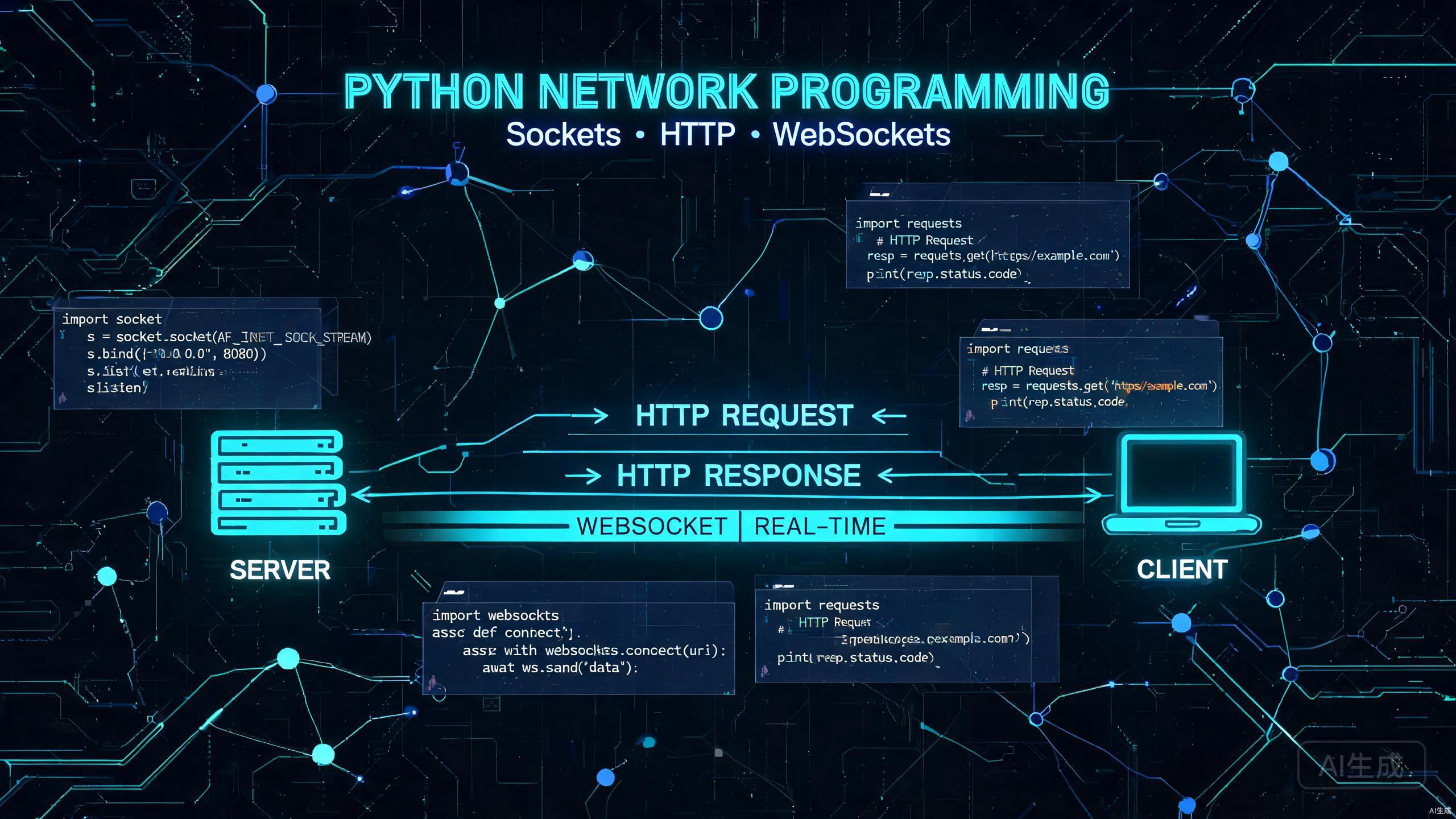
本文全面讲解 Python 网络编程核心知识:
- 网络基础:OSI 模型与 TCP/IP 协议栈
- Socket 编程:TCP/UDP 服务端与客户端实现
- HTTP 客户端:urllib / requests / httpx 对比与实战
- 异步网络:aiohttp + asyncio 高并发请求
- WebSocket 编程:实时双向通信实现
- 实战项目:构建高效网络请求工具
一、网络编程基础
1.1 OSI 七层模型与 TCP/IP 协议栈
OSI 七层模型 TCP/IP 四层模型 常见协议─────────────────────────────────────────────────────────7. 应用层 4. 应用层 HTTP, HTTPS, FTP, SMTP, DNS, WebSocket6. 表示层 ↑ SSL/TLS, JPEG, ASCII5. 会话层 ↑ RPC, NetBIOS4. 传输层 3. 传输层 TCP, UDP, QUIC, SCTP3. 网络层 2. 网络层 IP, ICMP, ARP2. 数据链路层 1. 网络接口层 Ethernet, WiFi (802.11), PPP1. 物理层 ↑ 光纤, 双绞线, 无线信号# 网络编程中最常接触的是传输层和应用层# Python socket 模块工作在传输层(TCP/UDP)# requests/aiohttp 工作在应用层(HTTP/HTTPS)
import socket
# 查看本机协议支持print(socket.has_ipv6) # 是否支持 IPv6print(socket.IPPROTO_TCP) # TCP 协议编号print(socket.IPPROTO_UDP) # UDP 协议编号1.2 TCP 三次握手与四次挥手
# TCP 连接建立(三次握手)"""客户端 → SYN → 服务端客户端 ← SYN+ACK ← 服务端客户端 → ACK → 服务端# 连接建立,可以开始传输数据
TCP 连接关闭(四次挥手)客户端 → FIN → 服务端客户端 ← ACK ← 服务端 (服务端进入半关闭状态)客户端 ← FIN ← 服务端客户端 → ACK → 服务端# 连接完全关闭"""
# 使用 socket 模块模拟 TCP 连接import socketimport struct
# TCP 套接字创建sock = socket.socket(socket.AF_INET, socket.SOCK_STREAM)# AF_INET: IPv4, SOCK_STREAM: TCP# AF_INET6: IPv6, SOCK_DGRAM: UDP1.3 常用网络端口速查
端口号 协议 用途─────────────────────────────20 FTP-DATA 文件传输数据21 FTP 文件传输控制22 SSH 安全远程登录23 Telnet 远程登录25 SMTP 邮件发送53 DNS 域名解析80 HTTP 超文本传输110 POP3 邮件接收143 IMAP 邮件访问443 HTTPS 加密 HTTP3000 常用开发端口3306 MySQL 数据库6379 Redis 缓存8080 HTTP 备用端口8443 HTTPS 备用端口二、Socket 编程基础
2.1 TCP 服务端实现
import socketimport threadingimport time
class TCPServer: def __init__(self, host='0.0.0.0', port=8888): self.host = host self.port = port self.server_socket = None self.clients = []
def start(self): self.server_socket = socket.socket(socket.AF_INET, socket.SOCK_STREAM) self.server_socket.setsockopt(socket.SOL_SOCKET, socket.SO_REUSEADDR, 1) self.server_socket.bind((self.host, self.port)) self.server_socket.listen(5) print(f"[服务端] 监听 {self.host}:{self.port}")
try: while True: client_socket, addr = self.server_socket.accept() self.clients.append(client_socket) print(f"[服务端] 新连接: {addr}") thread = threading.Thread( target=self.handle_client, args=(client_socket, addr), daemon=True ) thread.start() except KeyboardInterrupt: self.stop()
def handle_client(self, client_socket, addr): try: while True: data = client_socket.recv(4096) if not data: break message = data.decode('utf-8') print(f"[客户端 {addr}] {message}") response = f"服务器收到: {message}" client_socket.sendall(response.encode('utf-8')) except ConnectionResetError: print(f"[客户端 {addr}] 断开连接") finally: client_socket.close() self.clients.remove(client_socket)
def stop(self): for client in self.clients: client.close() if self.server_socket: self.server_socket.close() print("[服务端] 已关闭")
if __name__ == '__main__': server = TCPServer() server.start()2.2 TCP 客户端实现
import socketimport sys
class TCPClient: def __init__(self, host='127.0.0.1', port=8888): self.host = host self.port = port self.client_socket = None
def connect(self): self.client_socket = socket.socket(socket.AF_INET, socket.SOCK_STREAM) self.client_socket.connect((self.host, self.port)) print(f"[客户端] 已连接到 {self.host}:{self.port}")
def send(self, message): self.client_socket.sendall(message.encode('utf-8')) response = self.client_socket.recv(4096) return response.decode('utf-8')
def close(self): if self.client_socket: self.client_socket.close() print("[客户端] 已断开")
if __name__ == '__main__': client = TCPClient() client.connect() try: while True: msg = input("输入消息 (q 退出): ") if msg == 'q': break response = client.send(msg) print(f"服务器回复: {response}") finally: client.close()2.3 UDP 编程实现
import socket
# UDP 服务端class UDPServer: def __init__(self, host='0.0.0.0', port=9999): self.host = host self.port = port self.sock = socket.socket(socket.AF_INET, socket.SOCK_DGRAM)
def start(self): self.sock.bind((self.host, self.port)) print(f"[UDP 服务端] 监听 {self.host}:{self.port}") try: while True: data, addr = self.sock.recvfrom(4096) message = data.decode('utf-8') print(f"[来自 {addr}] {message}") response = f"UDP 收到: {message}" self.sock.sendto(response.encode('utf-8'), addr) except KeyboardInterrupt: self.sock.close() print("[UDP 服务端] 已关闭")
# UDP 客户端class UDPClient: def __init__(self, host='127.0.0.1', port=9999): self.host = host self.port = port self.sock = socket.socket(socket.AF_INET, socket.SOCK_DGRAM)
def send(self, message): self.sock.sendto(message.encode('utf-8'), (self.host, self.port)) data, addr = self.sock.recvfrom(4096) return data.decode('utf-8')
def close(self): self.sock.close()
# 使用示例if __name__ == '__main__': import threading import time
server = UDPServer(port=9999) server_thread = threading.Thread(target=server.start, daemon=True) server_thread.start() time.sleep(0.5)
client = UDPClient(port=9999) response = client.send("Hello UDP!") print(f"回复: {response}") client.close()2.4 Socket 编程注意事项
# 1. SO_REUSEADDR:端口复用,避免 TIME_WAIT 错误sock.setsockopt(socket.SOL_SOCKET, socket.SO_REUSEADDR, 1)
# 2. TCP_NODELAY:禁用 Nagle 算法,适用于低延迟场景sock.setsockopt(socket.IPPROTO_TCP, socket.TCP_NODELAY, 1)
# 3. 超时设置:避免 recv 永久阻塞sock.settimeout(5.0) # 5 秒超时
# 4. 发送/接收缓冲区调整sock.setsockopt(socket.SOL_SOCKET, socket.SO_SNDBUF, 65536)sock.setsockopt(socket.SOL_SOCKET, socket.SO_RCVBUF, 65536)
# 5. 非阻塞模式sock.setblocking(False)
# 6. 大文件传输的分包策略def send_large_file(sock, filepath): import os file_size = os.path.getsize(filepath) sock.sendall(str(file_size).encode() + b'\n')
with open(filepath, 'rb') as f: while True: chunk = f.read(65536) # 64KB 分片 if not chunk: break sock.sendall(chunk)
def recv_all(sock, size): data = b'' while len(data) < size: chunk = sock.recv(size - len(data)) if not chunk: raise ConnectionError("连接中断") data += chunk return data三、HTTP 客户端编程
3.1 urllib 标准库
import urllib.requestimport urllib.parseimport urllib.errorimport json
# 基础 GET 请求url = "https://api.github.com/repos/python/cpython"req = urllib.request.Request( url, headers={'User-Agent': 'Python-Network-Guide/1.0'})
try: with urllib.request.urlopen(req, timeout=10) as response: data = json.loads(response.read().decode('utf-8')) print(f"状态码: {response.status}") print(f"项目: {data['full_name']}") print(f"Stars: {data['stargazers_count']}")except urllib.error.HTTPError as e: print(f"HTTP 错误: {e.code} - {e.reason}")except urllib.error.URLError as e: print(f"URL 错误: {e.reason}")
# 带参数的 GET 请求params = urllib.parse.urlencode({ 'q': 'python networking', 'sort': 'stars', 'per_page': 5})search_url = f"https://api.github.com/search/repositories?{params}"
# POST 请求data = json.dumps({'name': 'test'}).encode('utf-8')post_req = urllib.request.Request( "https://httpbin.org/post", data=data, headers={'Content-Type': 'application/json'}, method='POST')
with urllib.request.urlopen(post_req) as resp: result = json.loads(resp.read()) print(f"POST 响应: {result['json']}")3.2 requests 库(最流行)
# pip install requestsimport requests
# 基础 GET 请求response = requests.get( "https://api.github.com/repos/python/cpython", params={'sort': 'stars'}, headers={'User-Agent': 'MyApp/1.0'}, timeout=10)
# 自动解析 JSONdata = response.json()print(f"状态: {response.status_code}")print(f"编码: {response.encoding}")print(f"耗时: {response.elapsed.total_seconds():.3f}s")
# 请求参数print(f"URL: {response.url}")print(f"Headers: {dict(response.headers)}")
# POST 请求payload = {'username': 'admin', 'password': 'secret'}resp = requests.post("https://httpbin.org/post", json=payload)
# Session 复用(连接池,性能优势)session = requests.Session()session.headers.update({'User-Agent': 'MyApp/1.0'})
# Cookie 自动管理session.get("https://httpbin.org/cookies/set", params={'name': 'value'})resp = session.get("https://httpbin.org/cookies")print(f"Cookies: {resp.json()}")
# 文件上传with open("config.json", 'rb') as f: resp = session.post("https://httpbin.org/post", files={'file': f})
# 文件下载(流式)with session.get("https://example.com/large-file.zip", stream=True) as resp: resp.raise_for_status() with open("downloaded.zip", 'wb') as f: for chunk in resp.iter_content(chunk_size=8192): f.write(chunk)
# 错误处理try: resp = session.get("https://api.example.com", timeout=5) resp.raise_for_status() # 4xx/5xx 抛出异常except requests.exceptions.Timeout: print("请求超时")except requests.exceptions.ConnectionError: print("连接错误")except requests.exceptions.HTTPError as e: print(f"HTTP 错误: {e}")3.3 httpx 库(现代替代品)
# pip install httpximport httpx
# httpx 优势:# 1. 原生支持异步# 2. 支持 HTTP/2# 3. API 与 requests 高度兼容# 4. 自动跟随重定向(可配置)# 5. 支持 WebSocket
# 同步使用(类似 requests)with httpx.Client(timeout=10, follow_redirects=True) as client: response = client.get( "https://api.github.com/repos/python/cpython", headers={'User-Agent': 'MyApp/1.0'} ) print(f"状态: {response.status_code}") data = response.json()
# 异步使用(高性能)import asyncio
async def fetch_multiple(): urls = [ "https://api.github.com/repos/python/cpython", "https://api.github.com/repos/python/python-docs-samples", "https://api.github.com/repos/python/peps", ]
async with httpx.AsyncClient(timeout=10) as client: tasks = [client.get(url) for url in urls] responses = await asyncio.gather(*tasks)
for url, resp in zip(urls, responses): data = resp.json() print(f"{url.split('/')[-1]}: {data.get('stargazers_count', 'N/A')} stars")
# HTTP/2 支持with httpx.Client(http2=True) as client: resp = client.get("https://example.com")
# 重试策略transport = httpx.HTTPTransport(retries=3)with httpx.Client(transport=transport) as client: resp = client.get("https://api.example.com")3.4 三大库对比
特性 urllib requests httpx─────────────────────────────────────────────────────────异步支持 ❌ ❌ ✅HTTP/2 ❌ ❌ ✅WebSocket ❌ ❌ ✅连接池 基础 ✅ ✅自动 JSON 解析 需 json.loads ✅ ✅Session 管理 手动 ✅ ✅流式上传/下载 基础 ✅ ✅超时/重试 基础 需配置 原生支持API 兼容性 独立 API 经典 API 兼容 requests推荐场景 简单脚本 通用开发 现代/异步项目四、异步网络编程
4.1 asyncio 基础
import asyncioimport time
# 协程基础async def hello(name, delay=1): print(f"[{time.strftime('%H:%M:%S')}] 你好, {name}!") await asyncio.sleep(delay) print(f"[{time.strftime('%H:%M:%S')}] {name} 再见!") return f"Hello {name}"
# 单协程运行async def main_single(): result = await hello("Alice", 1) print(f"结果: {result}")
# 并发执行多个协程async def main_parallel(): start = time.time() # gather 并发执行多个协程 results = await asyncio.gather( hello("Alice", 2), hello("Bob", 1), hello("Charlie", 3), ) elapsed = time.time() - start print(f"耗时: {elapsed:.2f}s (串行需 6s)") print(f"结果: {results}")
# 超时控制async def with_timeout(): try: result = await asyncio.wait_for( hello("Slow", 10), timeout=3 ) except asyncio.TimeoutError: print("操作超时!")
# 运行入口if __name__ == '__main__': asyncio.run(main_parallel())4.2 aiohttp 异步 HTTP 客户端
# pip install aiohttpimport aiohttpimport asyncioimport time
async def fetch_url(session, url): """异步获取单个 URL""" async with session.get(url, timeout=aiohttp.ClientTimeout(total=10)) as response: return url, response.status, await response.text()
async def batch_fetch(urls): """批量异步获取""" async with aiohttp.ClientSession() as session: tasks = [fetch_url(session, url) for url in urls] results = await asyncio.gather(*tasks, return_exceptions=True)
for url, status, body in results: if isinstance(status, Exception): print(f"{url}: 错误 - {status}") else: print(f"{url}: {status} ({len(body)} bytes)")
async def with_semaphore(urls, max_concurrent=5): """限制并发数""" sem = asyncio.Semaphore(max_concurrent)
async def fetch_with_sem(session, url): async with sem: return await fetch_url(session, url)
async with aiohttp.ClientSession() as session: tasks = [fetch_with_sem(session, url) for url in urls] return await asyncio.gather(*tasks)
# 高并发示例urls = [ f"https://httpbin.org/delay/{i % 5}" for i in range(20)]
start = time.time()asyncio.run(batch_fetch(urls))print(f"20 个请求并发耗时: {time.time() - start:.2f}s")
# POST 请求async def post_json(url, data): async with aiohttp.ClientSession() as session: async with session.post(url, json=data) as resp: return await resp.json()
# 文件上传async def upload_file(url, filepath): async with aiohttp.ClientSession() as session: data = aiohttp.FormData() data.add_field('file', open(filepath, 'rb'), filename='data.csv', content_type='text/csv') async with session.post(url, data=data) as resp: return await resp.json()4.3 异步 vs 同步性能对比
import requestsimport aiohttpimport asyncioimport time
URLS = [f"https://httpbin.org/delay/1" for _ in range(20)]
# 同步版本def sync_version(): start = time.time() results = [] for url in URLS: resp = requests.get(url, timeout=30) results.append(resp.status_code) elapsed = time.time() - start print(f"[同步] 20 请求: {elapsed:.2f}s") return elapsed
# 异步版本async def async_version(): start = time.time() async with aiohttp.ClientSession() as session: tasks = [session.get(url) for url in URLS] responses = await asyncio.gather(*tasks) results = [resp.status for resp in responses] elapsed = time.time() - start print(f"[异步] 20 请求: {elapsed:.2f}s") return elapsed
# 实际测试结果# [同步] 20 请求: 20.45s (每个请求约 1s,串行)# [异步] 20 请求: 1.23s (所有请求并发,几乎是 1 个请求的时间)# 性能提升: 约 16.6 倍4.4 aiohttp 服务端
from aiohttp import webimport asyncio
# 简单的异步 Web 服务async def handle_index(request): return web.json_response({ 'message': 'Hello, aiohttp!', 'timestamp': asyncio.get_event_loop().time() })
async def handle_echo(request): name = request.match_info.get('name', 'World') return web.json_response({'echo': f'Hello, {name}!'})
async def handle_post(request): data = await request.json() return web.json_response({ 'received': data, 'status': 'ok' })
# 中间件示例async def auth_middleware(app, handler): async def middleware(request): token = request.headers.get('Authorization') if not token and request.path.startswith('/api/'): return web.json_response({'error': 'Unauthorized'}, status=401) return await handler(request) return middleware
def create_app(): app = web.Application(middlewares=[auth_middleware]) app.router.add_get('/', handle_index) app.router.add_get('/echo/{name}', handle_echo) app.router.add_post('/api/data', handle_post) return app
if __name__ == '__main__': app = create_app() web.run_app(app, host='0.0.0.0', port=8080)五、WebSocket 实时通信
5.1 WebSocket 基础
# WebSocket 协议:# 1. 基于 HTTP 协议升级(Upgrade)# 2. 全双工通信(客户端和服务端都可主动发送)# 3. 持久连接(无需每次建立 HTTP 连接)# 4. 低延迟、低开销(无 HTTP 头部重复传输)
# 应用场景:# - 实时聊天应用# - 股票行情推送# - 在线协同编辑# - 游戏实时通信# - IoT 设备监控# - 实时通知系统5.2 websockets 库实现
# pip install websocketsimport asyncioimport websockets
# WebSocket 服务端async def echo_server(websocket): async for message in websocket: print(f"[服务端] 收到: {message}") response = f"服务器回复: {message}" await websocket.send(response)
async def start_server(): async with websockets.serve(echo_server, "0.0.0.0", 8765): print("[WebSocket 服务端] 启动于 ws://localhost:8765") await asyncio.Future() # 永久运行
# WebSocket 客户端async def echo_client(): uri = "ws://localhost:8765" async with websockets.connect(uri) as websocket: messages = ["你好", "测试消息", "WebSocket 真好用"] for msg in messages: await websocket.send(msg) response = await websocket.recv() print(f"[客户端] 发送: {msg} → 收到: {response}")
# 同时启动服务端和客户端测试async def test(): server_task = asyncio.create_task(start_server()) await asyncio.sleep(0.5) # 等待服务启动 client_task = asyncio.create_task(echo_client()) await client_task # 保持服务运行 await server_task
# asyncio.run(test())5.3 聊天室实战
import asyncioimport websocketsimport jsonfrom collections import defaultdict
class ChatServer: def __init__(self): self.rooms = defaultdict(set) # room_name -> set of websockets self.user_names = {} # websocket -> username
async def handler(self, websocket): async for message in websocket: data = json.loads(message) action = data.get('action')
if action == 'join': await self.handle_join(websocket, data) elif action == 'leave': await self.handle_leave(websocket, data) elif action == 'message': await self.handle_message(websocket, data)
async def handle_join(self, ws, data): room = data['room'] username = data['username'] self.rooms[room].add(ws) self.user_names[ws] = username
# 通知房间内其他人 notify = json.dumps({ 'type': 'system', 'message': f'{username} 加入房间 {room}' }) await self.broadcast(room, notify, exclude=ws)
# 确认加入 await ws.send(json.dumps({ 'type': 'joined', 'room': room, 'users': [self.user_names[w] for w in self.rooms[room]] }))
async def handle_leave(self, ws, data): room = data['room'] username = self.user_names.get(ws, '匿名') self.rooms[room].discard(ws) self.user_names.pop(ws, None)
notify = json.dumps({ 'type': 'system', 'message': f'{username} 离开房间 {room}' }) await self.broadcast(room, notify)
async def handle_message(self, ws, data): room = data['room'] username = self.user_names.get(ws, '匿名') message = data['message']
broadcast_msg = json.dumps({ 'type': 'message', 'username': username, 'message': message, 'room': room }) await self.broadcast(room, broadcast_msg)
async def broadcast(self, room, message, exclude=None): for ws in self.rooms.get(room, set()): if ws != exclude: await ws.send(message)
# 启动服务器if __name__ == '__main__': server = ChatServer() start = websockets.serve(server.handler, '0.0.0.0', 8765) asyncio.get_event_loop().run_until_complete(start) print("[聊天室] 启动于 ws://localhost:8765") asyncio.get_event_loop().run_forever()
# 客户端 HTML/JS 示例:# const ws = new WebSocket('ws://localhost:8765');# ws.send(JSON.stringify({action: 'join', room: 'general', username: 'Alice'}));# ws.onmessage = (e) => console.log(JSON.parse(e.data));六、实战:高效网络请求工具
6.1 批量 URL 健康检查工具
import asyncioimport timefrom typing import List, Dict, Optionalimport aiohttp
class URLHealthChecker: def __init__( self, timeout: float = 10.0, max_concurrent: int = 10, retry_count: int = 2 ): self.timeout = timeout self.max_concurrent = max_concurrent self.retry_count = retry_count self.semaphore = asyncio.Semaphore(max_concurrent)
async def check_url( self, session: aiohttp.ClientSession, url: str ) -> Dict: """检查单个 URL 健康状态""" async with self.semaphore: result = { 'url': url, 'status': None, 'response_time': None, 'error': None, 'ok': False }
for attempt in range(self.retry_count + 1): try: start = time.time() async with session.get( url, timeout=aiohttp.ClientTimeout(total=self.timeout), allow_redirects=True ) as response: elapsed = time.time() - start result['status'] = response.status result['response_time'] = round(elapsed, 3) result['ok'] = 200 <= response.status < 400 result['final_url'] = str(response.url) break except asyncio.TimeoutError: result['error'] = 'Timeout' if attempt < self.retry_count: await asyncio.sleep(1) except aiohttp.ClientError as e: result['error'] = str(e) if attempt < self.retry_count: await asyncio.sleep(1) except Exception as e: result['error'] = str(e) break
return result
async def check_all(self, urls: List[str]) -> List[Dict]: """批量检查 URL""" connector = aiohttp.TCPConnector( limit=self.max_concurrent, ssl=False # 生产环境建议开启 )
async with aiohttp.ClientSession(connector=connector) as session: tasks = [self.check_url(session, url) for url in urls] results = await asyncio.gather(*tasks, return_exceptions=True)
# 过滤异常 clean_results = [] for r, url in zip(results, urls): if isinstance(r, Exception): clean_results.append({ 'url': url, 'status': None, 'response_time': None, 'error': str(r), 'ok': False }) else: clean_results.append(r)
return clean_results
def run(self, urls: List[str]) -> List[Dict]: """同步入口""" return asyncio.run(self.check_all(urls))
# 使用示例if __name__ == '__main__': urls = [ "https://www.google.com", "https://www.github.com", "https://www.python.org", "https://www.cloudflare.com", "https://example.com", "https://httpbin.org/status/200", "https://httpbin.org/status/404", "https://invalid-domain-that-does-not-exist.com", ]
checker = URLHealthChecker(timeout=5, max_concurrent=5)
start = time.time() results = checker.run(urls) total_time = time.time() - start
# 输出报告 print(f"\n{'='*60}") print(f"URL 健康检查报告 - 耗时 {total_time:.2f}s") print(f"{'='*60}")
ok_count = sum(1 for r in results if r['ok']) fail_count = len(results) - ok_count
for r in results: status_icon = "✅" if r['ok'] else "❌" rt = f"{r['response_time']}s" if r['response_time'] else "N/A" err = f" ({r['error']})" if r['error'] else "" print(f"{status_icon} [{r['status'] or 'ERR'}] {rt:>8} {r['url']}{err}")
print(f"\n统计: {ok_count} 通过, {fail_count} 失败, 共 {len(results)} 个 URL")6.2 使用示例
输出示例:============================================================URL 健康检查报告 - 耗时 3.45s============================================================✅ [200] 0.312s https://www.google.com✅ [200] 0.523s https://www.github.com✅ [200] 0.891s https://www.python.org✅ [200] 0.234s https://www.cloudflare.com✅ [200] 0.015s https://example.com✅ [200] 0.256s https://httpbin.org/status/200❌ [404] 0.198s https://httpbin.org/status/404❌ [ERR] N/A https://invalid-domain-that-does-not-exist.com (Cannot resolve host)
统计: 6 通过, 2 失败, 共 8 个 URL七、最佳实践与总结
7.1 库选择决策树
需要网络编程?├── 底层自定义协议?│ └── Python socket 模块├── HTTP/REST API 调用?│ ├── 简单脚本 → requests│ ├── 需要异步/HTTP/2 → httpx│ └── 高并发爬虫 → aiohttp├── 实时双向通信?│ └── websockets├── Web 服务开发?│ ├── 简单 API → aiohttp / Flask│ ├── 高性能 → FastAPI│ └── 微服务 → gRPC + Protobuf└── 其他需求? ├── 邮件 → smtplib ├── FTP → ftplib └── DNS → dnspython7.2 性能优化要点
# 1. 连接复用:使用 Session/ClientSessionsession = requests.Session() # 复用 TCP 连接aiohttp_session = aiohttp.ClientSession() # 异步复用
# 2. 连接池配置from requests.adapters import HTTPAdapterfrom urllib3.util.retry import Retry
adapter = HTTPAdapter( pool_connections=100, pool_maxsize=100, max_retries=Retry(total=3, backoff_factor=1))session.mount('http://', adapter)session.mount('https://', adapter)
# 3. 批量并发:异步 + Semaphore 控制并发数sem = asyncio.Semaphore(10) # 限制 10 个并发
# 4. 超时设置:永远不要省略# connect timeout + read timeoutresp = requests.get(url, timeout=(5, 30))
# 5. 流式处理:大文件不要一次性读入内存for chunk in response.iter_content(chunk_size=8192): file.write(chunk)
# 6. 合理的 User-Agent:避免被封禁headers = { 'User-Agent': 'Mozilla/5.0 (compatible; MyBot/1.0)'}
# 7. 错误处理:重试 + 降级try: resp = session.get(url, timeout=10) resp.raise_for_status()except requests.exceptions.RequestException: # 降级:使用备份 URL 或缓存 pass7.3 常见问题排查
# 问题1: 连接超时/SSL 错误# 解决方案:检查网络、配置代理、验证证书import requests# 跳过 SSL 验证(仅开发环境)resp = requests.get(url, verify=False)
# 问题2: 连接过多导致端口耗尽# 解决方案:使用 Session 复用、控制连接数# 错误:每次请求创建新连接for url in urls: requests.get(url) # 新连接# 正确:Session 复用with requests.Session() as s: for url in urls: s.get(url) # 复用连接
# 问题3: aiohttp 与 requests 混用导致事件循环问题# 解决方案:异步进程完全使用 aiohttp# 错误:在 async 函数内使用 requestsasync def bad(): requests.get(url) # 阻塞事件循环!# 正确:完全使用异步库async def good(): async with session.get(url) as resp: return await resp.json()
# 问题4: WebSocket 频繁断连# 解决方案:心跳机制 + 自动重连async def websocket_with_heartbeat(uri): while True: try: async with websockets.connect( uri, ping_interval=30, ping_timeout=10 ) as ws: async for message in ws: handle_message(message) except websockets.ConnectionClosed: print("连接断开,3 秒后重连...") await asyncio.sleep(3)7.4 学习资源推荐
1. 官方文档 - Python socket: https://docs.python.org/3/library/socket.html - requests: https://requests.readthedocs.io/ - httpx: https://www.python-httpx.org/ - aiohttp: https://docs.aiohttp.org/ - websockets: https://websockets.readthedocs.io/
2. 进阶书籍 - 《Python 网络编程》 - 《O'Reilly Python Cookbook》
3. 实战项目 - 构建个人代理工具 - 开发小型 Web 框架 - 编写网络爬虫/API 客户端 - 实现实时数据推送服务总结
Python 网络编程体系庞大,但可以按层次循序渐进地学习:
- 基础层:理解 OSI/TCP-IP 模型、TCP/UDP 协议、Socket 编程
- 应用层:掌握 requests/httpx 等 HTTP 客户端库
- 进阶层:学习 asyncio + aiohttp 异步编程应对高并发场景
- 高级层:WebSocket 实时通信、性能优化、错误处理
实践是最好的学习方式。建议从简单的 HTTP 请求开始,逐步深入到异步编程和实时通信,构建属于自己的网络工具集。
Python 网络编程完全指南:Socket / HTTP / aiohttp / WebSocket 从入门到实战
https://971918.xyz/posts/python-guide/python-networking-guide/